Posts

Life Hack: Download Stock Photos on Shutterstock, Istock, and more for FREE

Image
You don't need to learn how to hack a shutterstock account to get free stock photos. In a simple trick you can remove those water mark and have a stock photo for your project. This method has this following limitations: You can't get all the images in Shutterstock or iStock photos. Sometimes you can only get a medium size resolution If the photo you're looking for is not common, you can't get it. This my favorite trick to do everytime I want to get a free stock photo from the largest online store of photos like Shutterstock and iStock. Steps to get free stock photos Go to your favourite stock photo web site. Find the image that you want. If the filters allow you to show the most downloaded photos or the popular ones, you should enable that. Right click the image and click copy image url (location) or something similar to that, depending on your browser.  Go the http://images.google.com   Click the small camera icon and paste the url of the image.  When ...

PLDT Ultera Review 2017

Image
It's more than a year now since I subscribed to this so called "super fast LTE" by PLDT. Here's my honest and no bias review. So here's my PLDT ultera review. It was February 2015 when I applied a PLDT Homebro Ultera Plan in PLDT Office in Fairview, Quezon City. The dark guy entertained me and processed my application. After a few days the installers visited my house to install the external router. the actual logo of PLDT Home Ultera Everything went well (at first) For the first month, I was so happy. I'm getting an average speed of 5Mbps even if my plan's max speed is only 3Mbps. During that time, Plan 999 will give you a speed of 3Mbps and after you reach your limit which is 300MB per day, your speed will be throttled to 30% of your max speed. So I'm expecting around 0.9Mbps once I reached the limit. I'm wondering why I didn't get the slower speed even if I download large files, stream funny Youtube Videos  and play DOTA. I ...

Fast Download YouTube Video: No Software Needed for Free!

Image
Yes you read it right. You can now download youtube videos without using a software or browser plugins or add ons. This is  available on Mac or PC. Read the steps below: Open your web browser (Google Chrome, Safari, Firefox, Please avoid using Internet Explorer). Go you the YouTube video that you want to download. Find the URL of the video. It's in the address bar of your browser. It is something like  https://www.youtube.com/watch?v=YpSjls-Tgfg Now. add the letter s "ss" before the word "youtube" in the URL. The URL is now https://www. ss youtube.com/watch?v=YpSjls-Tgfg Hit Enter. Now you're redirected to a new site. Choose your desired format and resolution. I suggest mp4 at 1080p or 720p if you want HD video. Click Download Watch the video below if you want to see it in action.

[SOLVED] How to Change Wifi Password of PLDT Ultera 2017

Image
Here's a quick guide for modifying Ultera Wifi name and password. How to edit/modify SSID of PLDT Homebro Ultera? Go to PLDT Ultera IP Address http://192.168.22.1 Username: homebro and password is homebro Click Wireless > Basic Settings Change the value of SSID with your new wifi name Click Modify How to change Wifi Password of PLDT Homebro Ultera? Go to http://192.168.22.1 Username: homebro and password is homebro Click Wireless > Security Change the value of Pre-Shared Key with your new password Click Modify NOTE: You will be disconnected when you’re connected to wifi because you changed your wifi name or password. Don’t forget your new wifi name and password. If you are too lazy to read this article the video below will help you: Helpful links in the future: 1. How to Change Wifi Password Pldt Fibr 2. PLDT Home Fibr Review 3. Can I upgrade my PLDT Ultera to PLDT Home Fibr?

Empty Trash on Mac: The operation can’t be completed because you don’t have permission to access some of the items.

Image
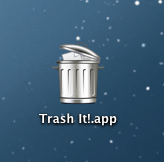
I'm so glad that I found the easiest and simplest solution to this problem in MAC OS X. I want to empty my trash but suddenly this warning appeared. The operation can’t be completed because you don’t have permission to access some of the items.  This is because of stubborn files in the trash. There are lot's of solution on the internet but I found Trash It! app which solves my empty trash problem on mac Here's how it works: After downloading, just open the zip file Locate the Trash It!.app  Move it to your desktop or application folder. Double click the app. Choose Fast. Wait for several seconds. And you have deleted stubborn file from your trash.

Why Your Android Phone don't have a Deep Sleep State?

Let me explain what a Deep Sleep means. It's a state where your smart phone is not busy thinking about the applications that you use. This is essential, it you phone don't have this state, it will drain your battery.  Here are some reasons that I observed. Internet connection through WiFi or data connection is active. If you're using Lenovo P700, the screen lock option was set to none. It should be set to slide or other option. Read How I fix my Lenovo P700 Deep Sleep issue  and see how to check if your phone is in Deep Sleep state. There are sync happening on your apps like Facebook or twitter. Proximity sensor is active You may add more just leave a comment below.

Why Android Phone Battery Drains Fast?

Smart phones are just amazing except the fact that it's battery drains really fast. There are few reasons that I learned. from reading different articles and I want to compile it and share it with you with a some very easy explanation. Android System runs different application even you need it or not WiFi, Bluetooth, and other connection Sounds, vibrate, screen brightness Weak cellphone signal - your phone keeps on seeking a good signal and makes it tired. Lithium Ion batteries will not perform well if it's exposed to heat The battery is too old