Posts

Showing posts with the label password

Top 3 Ways on How to Hack Facebook Account [Updated 2017]

There are number of reasons why you want to have access to your friend or enemy's facebook account. Today I'll share to you the top 3ways on  how to hack facebook account . Before we continue with our tutorial and tips, make sure that you are 100% sure that you're doing this. This will have a lot of consequences in the future. If you're convinced that it's really necessary to  hack facebook account  to save someone or to fix your life, go ahead and keep on reading this article. Method 1 If you have access to your victim's computer or laptop, you can check his password on his browser.  Open Google Chrome or Firefox browser. Find the settings and search "Password". Type Facebook From the list, you should find the username and password of the user. Click the option to view password. Note: You may need to type the computer password to view this. Copy the password somewhere Method 2 If you're not familiar with phishing, this is a trick wh...
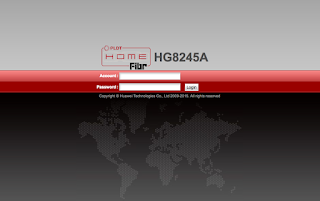
[SOLVED] How to Change Wifi Password PLDT Fibr 2017

Image
How to change wifi password in PLDT? Here's the step-by-step procedure to change your PLDT Home Fibr WiFi Password. Step 1. Check the IP, user name, and password of your modem. These information are listed under your modem. Step 2.  Login to your PLDT IP address. In my case, it's 192.168.1.1 Step 3.  Enter username and password Step 4.  Click the WLAN from the main navigation. Step 5.  Click WLAN Basic Configuration Step 6.  Change the SSID Name value. This is your WiFi name Step 7.  Change WPA PreSharedKey. This is your WiFi password. Step 8.  Click the Apply Button. After the steps above, you will disconnected since you have updated your wifi password and username. Simply connect to you new wifi name and use your new wifi password. If you're too lazy to follow my instruction watch the video below: Just in case you're still using PLDT Ultera, here's how you change PLDT Home Ultera Wifi Password If you're not sure if your subscript...